
myWAP1.3 - Google Play
You'll be able to see results in few seconds.
Publisher Description
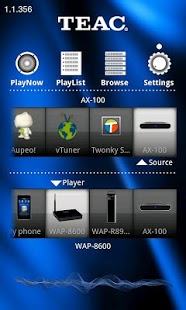
Now you can use your Android™ phone or your Android™ tablet to control your TEAC WAP (Wireless Audio Player) network audio streamer. This APP gives you full control over the settings of every single WAP in your network. Stream music from any UPnP media server to several WAPs is easier than ever before.
Just select the Server and the WAP on your Android™ device, browse your music collection and with a tip of your finger your favorite songs start playing with a nice CD-cover.
Switch between several WAPs (Multiroom) and control every single one according to your wishes. Or just take your music with you from room to room.
Features:
• AUPEO!® Personal Radio: Here you find your personal radio program, preselected and put together by experts. Listen to and edit your radio station wherever you are - on your WAP on the Web.
• vTuner® Internet radio: Access thousands of radio stations from all over the world. You like Hip-hop from London, Jazz from New Orleans? Why not try Blues from Chicago, Samba from Rio or Salsa from Cuba? With vTuner you can browse the internet and access your favorite web radio stations.
• USB Streaming: Turn your WAP into a music-server. Access to an USB-memory connected to your WAP and stream the music from one WAP to another.
• Mediaplayer/Streaming: Access an UPNP™ Media Server in your home network through an Android™ device.
• Multiroom: Playback of audio on one or several WAPs or your Android™ device.
• Supported formats: TEAC WAPs play back MP3, M4A, WMA, OGG and FLAC (24/96) formats.
• Playlists: Create and edit playlists and save them on your Android™ devise, even using more than one source (UPnP server).
• Network configuration: edit the settings of all your WAP devices through your Android™ device. (only possible with WAP-8600SMR, WAP-AR100, WAP-AX100, WAP-AX250)
ATTENTION: Please check our website www.teac.eu, if you have installed the latest firmware for your WAP. Network configuration through myWAP APP only possible from firmware version 1.3.1.15.
ATTENTION: In case of initial installation of your WAP it has to be connected to your Router/Access Point through an Ethernet cable.
Following media servers have been tested:
- Mac OS: TwonkyMediaServer®, EyeConnect®
- Windows: TwonkyMediaServer®, Windows Media Player®, TVersity ®
- Linux: Twonky Media Server®, Media Thomb®
- NAS: Twonky Media Server®
About myWAP
The company that develops myWAP is TEAC Europe GmbH. The latest version released by its developer is 1.3.
To install myWAP on your Android device, just click the green Continue To App button above to start the installation process. The app is listed on our website since 2012-04-24 and was downloaded 0 times. We have already checked if the download link is safe, however for your own protection we recommend that you scan the downloaded app with your antivirus. Your antivirus may detect the myWAP as malware as malware if the download link to com.rigisystems.MediaController is broken.
How to install myWAP on your Android device:
- Click on the Continue To App button on our website. This will redirect you to Google Play.
- Once the myWAP is shown in the Google Play listing of your Android device, you can start its download and installation. Tap on the Install button located below the search bar and to the right of the app icon.
- A pop-up window with the permissions required by myWAP will be shown. Click on Accept to continue the process.
- myWAP will be downloaded onto your device, displaying a progress. Once the download completes, the installation will start and you'll get a notification after the installation is finished.
Program Details
System requirements
Download information
Pricing
Version History
version 1.3
posted on 2012-04-24
Several fixes and updates
version 1.3
posted on 2012-04-24
Disclaimer
Official Google Play Link
We do not host myWAP on our servers. We did not scan it for viruses, adware, spyware or other type of malware. This app is hosted by Google and passed their terms and conditions to be listed there. We recommend caution when installing it.
The Google Play link for myWAP is provided to you by apps112.com without any warranties, representations or guarantees of any kind, so access it at your own risk.
If you have questions regarding this particular app contact the publisher directly. For questions about the functionalities of apps112.com contact us.
